
Step 1: Login
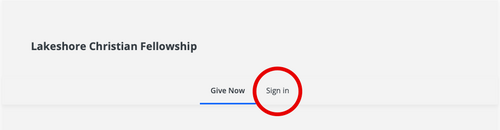
Login to your Fellowship One Giving Account by clicking the link below and choosing "Sign in"
Step 2: Find Scheduled Gifts
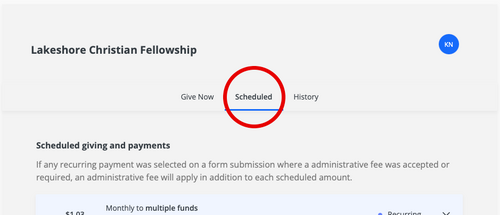
See all your scheduled gifts by choosing "Scheduled" in the top navigation section.
Step 3: Stop Scheduled Gifts
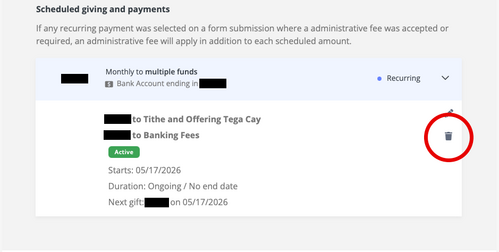
In the Scheduled window you'll see all your upcoming scheduled gifts. Choose the Trash Can icon to stop and cancel all future recurring gifts.
Step 4: Setup With Subsplash
Setup your new recurring gift through your Subsplash Giving account.